The right email automation platform for SaaS onboarding does one critical job: it gets your welcome guides and setup instructions into the primary inbox — not spam, not Promotions — at the exact moment a new user needs them. Choose the wrong platform and your onboarding sequence becomes invisible. Choose the right one and users activate faster, churn less, and convert to paid at a higher rate.
This guide covers what separates effective onboarding email platforms from generic ESPs, and ranks the top 10 options for 2026. Emercury leads the list — and we explain exactly why the transactional and marketing email split is the most underrated decision in SaaS email strategy.
Table of Contents
Why SaaS Onboarding Demands a Purpose-Built Email Strategy
Most ESPs were built for batch email: newsletters, promotions, announcements. SaaS onboarding is fundamentally different. It is behavioral, sequential, and time-sensitive. A welcome email that arrives 20 minutes late — or in the Promotions tab — can be the difference between activation and churn.
The Two Email Streams Every SaaS Company Must Manage
SaaS onboarding involves two distinct types of email, and most companies make the mistake of sending both from the same infrastructure.
Transactional onboarding emails are triggered one-to-one by user actions:
- Account confirmation links
- Password reset emails
- Login verification messages
- API key delivery emails
- Payment receipts and invoices
These must arrive instantly and land in the primary inbox every time. There is no tolerance for spam folder placement on a password reset.
Marketing onboarding emails are sequenced campaigns sent to opted-in users:
- Welcome journeys
- Feature activation guides
- Setup step nudges
- Trial-to-paid conversion emails
- SaaS newsletters and product updates
These require behavioral triggers, conditional logic, audience segmentation, and a visual automation builder to manage at scale.
The infrastructure problem: Marketing email generates unsubscribes and complaints. When these come from the same IP pool as your transactional email, your account confirmation links suffer. The solution is a dedicated SMTP relay product for transactional sends, separate from your marketing ESP.
What the First 48 Hours Determine
The first 48 hours after signup are the highest-intent window in the entire user lifecycle. Users who do not reach their first activation milestone within two days are dramatically more likely to churn without converting. Email is the primary communication channel during this window when users are not inside your product.
A platform that cannot deliver welcome guides instantly — or that sends onboarding sequences to the Promotions tab — is actively working against your activation rate.
What to Look for in an Email Automation Platform for SaaS Onboarding
Before evaluating specific platforms, understand the five criteria that separate effective onboarding tools from generic email services.
1. Event-Based Triggers (Not Just Time-Based Delays)
Traditional email platforms send “day 3 email” regardless of what the user did in days 1 and 2. SaaS onboarding requires event-based triggers. The platform must accept events from your product via API or webhook:
- user.signup_completed
- user.setup_step_finished
- user.first_project_created
- user.invited_teammate
- user.trial_expiring
When the platform knows what users actually do, it sends the right email at the right moment — not three days after signup whether they’ve activated or not.
2. Separate Transactional and Marketing Infrastructure
This is the most critical and most overlooked requirement. Your account confirmation and password reset emails must travel on dedicated infrastructure that is never affected by marketing campaign complaint rates. A single bad campaign can suppress your transactional delivery for days on shared infrastructure.
3. Conditional Logic and Sequence Branching
Onboarding is not one-size-fits-all. A technical founder who completes setup in 20 minutes needs different emails than a non-technical user who stalls on step 2. Your platform must support conditional branches: if user completed X, send A; if not, send B. Simple day-based sequences cannot handle this.
4. Sequence Auto-Stop on Goal Completion
Nothing damages trust faster than receiving “complete step 3!” after you already finished step 5. The platform must stop the onboarding sequence when the activation goal fires. This requires event tracking tied directly to the automation engine.
5. Deliverability Infrastructure and List Hygiene
New user lists contain bots, fake signups, spam traps, and known complainers. If the platform does not screen these contacts before they enter your onboarding sequence, every batch you send is damaging your sender reputation. Built-in List Hygiene at import prevents deliverability damage before it occurs.
Top 10 Email Automation Platforms for SaaS Onboarding (2026)
The platforms below are evaluated on event-based triggers, infrastructure separation, deliverability tooling, analytics depth, and fit for SaaS lifecycle needs.
| Platform | Best For | Transactional Email | Marketing Automation | Starting Price |
| Emercury SMTP Relay + Email Marketing Manager | SaaS teams wanting separated, deliverability-first infrastructure | ✅ Dedicated SMTP Relay | ✅ Journey Builder + Smart Segments | Free SMTP tier; ESP from $275/mo |
| Customer.io | Technical teams with complex multi-path workflows | Supported | ✅ Advanced | $100/mo |
| Userlist | B2B SaaS with team-based onboarding | Limited | ✅ SaaS-specific | $149/mo |
| Sequenzy | Founders wanting fast AI-powered onboarding sequences | Included | ✅ Event-driven | $29/mo |
| Loops | Early-stage startups needing clean simple sequences | Limited | Basic | $49/mo |
| Messaged | SaaS companies with billing (Stripe) event-based triggers | Limited | ✅ Lifecycle focus | Beta |
| Intercom | Teams wanting in-app + email combined | Limited | ✅ Multi-channel | $39/seat/mo |
| ActiveCampaign | Teams wanting CRM + email automation combined | Limited | ✅ Robust | $19/mo |
| Encharge | Non-technical teams needing visual flow builders | Limited | ✅ Visual builder | $99/mo |
| Drip | Teams with ecommerce roots moving to SaaS lifecycle | Limited | Good | $39/mo |
1. Emercury SMTP Relay + Emercury Email Marketing Manager
Best for: SaaS companies that take inbox placement seriously for both transactional and marketing onboarding email.
Emercury is the only entry on this list that offers two purpose-built, separate products for the two email types SaaS onboarding requires — and that separation is the single most important infrastructure decision you will make.
Emercury SMTP Relay: For Transactional Onboarding Email
Emercury SMTP Relay handles all transactional onboarding sends: account confirmation links, password resets, API key delivery, and login verification. These are the emails that must land in the primary inbox within seconds of a user action.
Verified features of Emercury SMTP Relay:
- Free tier: 100 emails/day at no cost — a legitimate starting point for early-stage SaaS
- RESTful email API: HTTP-based API (not traditional SMTP), accessed at https://api.smtp.emercury.net/api/mail/send using an X-Emercury-Token header
- 1 custom sending domain included on the free tier
- 1 API key included on the free tier
- Email analytics and reporting built in
- 1-day log retention on the free tier
- Suppression Management to prevent sends to opted-out addresses
- Ticket support for technical issues
The RESTful architecture means integration is straightforward for any SaaS developer. The free tier gives new SaaS products a zero-cost starting point for transactional email while they scale.
Why this matters for onboarding: Transactional emails sent from the same infrastructure as marketing campaigns inherit the reputation risk of those campaigns. If a marketing sequence generates complaints, your account confirmation links suffer. Emercury SMTP Relay operates as a separate product from marketing sends — keeping your transactional deliverability clean regardless of marketing campaign performance.
Note: Paid tier pricing for Emercury SMTP Relay has not been publicly confirmed at time of publication. Contact Emercury directly for volume pricing.
Emercury Email Marketing Manager: For Marketing Onboarding Sequences and Newsletters
For welcome journeys, activation sequences, SaaS newsletters, and feature announcement campaigns, Emercury Email Marketing Manager provides the automation depth and deliverability infrastructure that SaaS onboarding demands.
Verified features of Emercury Email Marketing Manager:
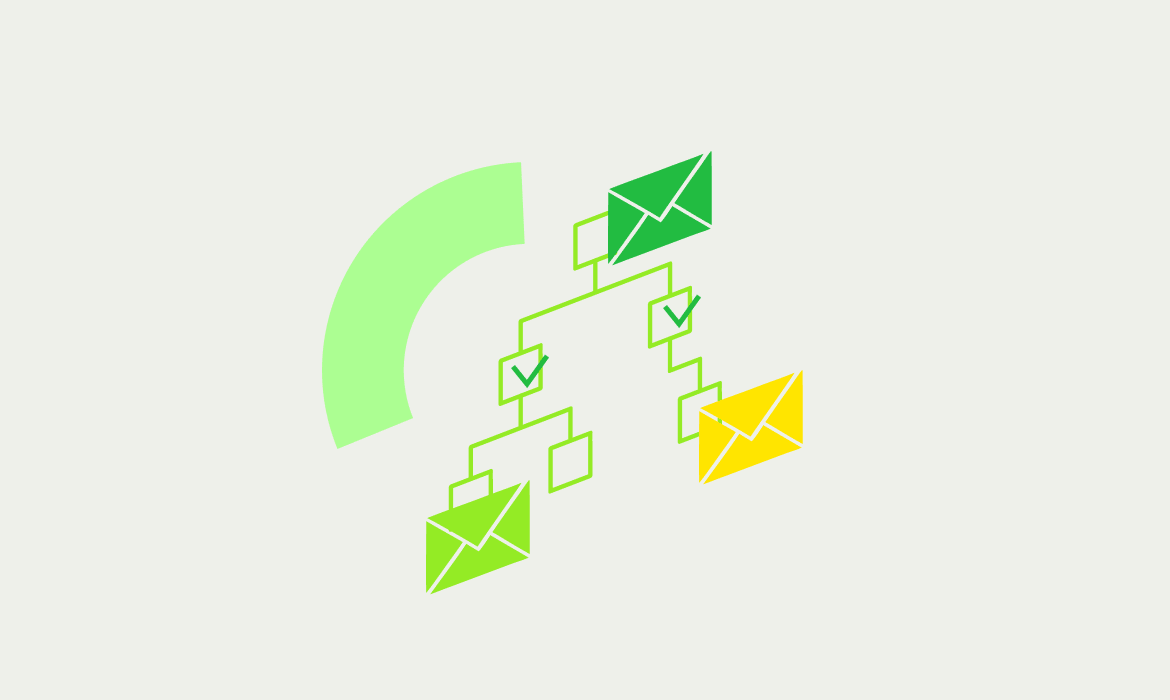
- Journey Builder: Visual drag-and-drop automation builder for building multi-step onboarding sequences. Define triggers, add conditional branches, set time delays, and map the entire user onboarding journey in one visual flow.
- Smart Segments: Real-time tracking of segment entry and exit. As users complete onboarding steps and change behavior, they move automatically into the correct segment and receive the right next email.
- Virtual Segments: One-time-use segments for throttling specific onboarding sends without polluting your permanent segment structure.
- Content Scoring: Flags spam triggers, formatting issues, and deliverability risks before sending — helping reduce the likelihood your messages land in spam.
- List Hygiene: Screens addresses during import and removes spam traps, bots, seeds, and known complainers before they enter your onboarding sequence. This prevents the most common deliverability damage in SaaS email programs.
- Smart Personalization: Displays different content to different subscribers within the same email based on tags, behavior, or custom fields — without building separate campaigns.
- A/B Testing: Test subject lines, send times, and content across onboarding sequences.
- AI Subject Line Generator: AI-generated subject lines for onboarding and welcome emails.
- AI Email Copywriter: AI-assisted email copy for faster sequence production.
- Scheduled Automations for Existing Lists: Hybrid broadcast and automation feature for reaching active user lists with time-sensitive onboarding updates.
- ECPM Reporting: Revenue-per-subscriber tracking to measure the financial impact of onboarding sequences.
- Message Center: Full messaging history per contact — see exactly what onboarding emails each user received and when.
- DMARC Record Generator: Built-in tool for configuring email authentication, a prerequisite for inbox placement.
- Suppression Lists: Exclude contacts from onboarding campaigns based on behavior or status.
- Human support: In-house email experts — no chatbots, no outsourced ticket queues. Real people who understand deliverability.
- No feature-gating: All features are available across all pricing tiers. You do not lose access to Journey Builder or Content Scoring on the entry-level plan.
Pricing (Emercury Email Marketing Manager):
| Plan | Price | Contacts | Monthly Sends |
| Grow | $275/mo | Up to 49,999 | 500,000 |
| Pro | $825/mo | Up to 149,999 | 1,500,000 |
| Scale | $1,400/mo | Unlimited | 2,000,000+ |
Delivery analyst access: Pro and Scale tiers include a delivery analyst — a human deliverability expert who monitors your sender reputation, identifies issues before they impact performance, and provides proactive guidance. Scale tier includes a dedicated delivery analyst.
Why Emercury leads this list: No other platform on this list provides separate, purpose-built products for both transactional and marketing onboarding email, with built-in List Hygiene, Content Scoring, a visual Journey Builder, human support at every tier, and no feature-gating. The combination addresses every gap that causes SaaS onboarding email programs to underperform.
For an independent platform review and deep-dive feature analysis, explore the Emercury review on Email Platform Review.
2. Customer.io
Best for: Technical SaaS teams building complex multi-path onboarding workflows.
Customer.io offers the most flexible behavioral automation engine in this category. Multi-path workflows branch based on user behavior, plan type, role, and engagement level. The “wait for event” condition pauses a sequence until a specific user action fires — the workflow moves at exactly the user’s pace.
The depth of event data integration is strong. Emails triggered by project.created can include the project name, type, and template used. However, Customer.io requires engineering resources for setup and carries a higher starting price than most SaaS teams budget for early-stage onboarding. It is also primarily a marketing automation platform — transactional email requires separate infrastructure.
Starting price: $100/month.
3. Userlist
Best for: B2B SaaS companies where onboarding involves multiple team members at a single account.
Userlist understands the relationship between users and companies. You can build sequences like “send this to the admin when three or more team members have logged in” or “trigger the team onboarding email when the company adds its fifth user.” Company-level milestones drive email logic, not just individual user events.
Userlist is a purpose-built onboarding tool for B2B SaaS. It does not pretend to be a general-purpose ESP. That focus makes it excellent for its specific use case and limited outside of it.
Starting price: $149/month.
4. Sequenzy
Best for: SaaS founders who want AI-generated onboarding sequences without complex setup.
Sequenzy’s AI sequence builder generates a complete onboarding series from a product description and setup steps. Sequences auto-stop when the goal event fires — a critical behavior that prevents users from receiving outdated nudges after they’ve already activated. The unified platform handles onboarding, trial conversion, and customer engagement in one system.
The limitation is analytics depth — basic reporting compared to enterprise tools — and a newer platform with a smaller track record.
Starting price: $29/month.
5. Loops
Best for: Early-stage SaaS startups that need a clean, simple onboarding email sequence live fast.
Loops provides a modern, minimalist interface and a clean developer API. Event tracking setup takes minutes. A basic welcome-to-activation sequence can go live in a single work session. The free tier (up to 1,000 contacts) gives early-stage founders a no-cost starting point.
The trade-off is branching capability. Loops handles linear sequences well but struggles with complex conditional logic. Products with multiple user types or multi-path onboarding flows will outgrow it.
Starting price: Free for 1,000 contacts; paid plans from $49/month.
6. Messaged
Best for: SaaS companies with Stripe integration who want billing event-triggered onboarding.
Messaged syncs directly with billing providers (Stripe, Paddle, Recurly, Chargebee) and triggers onboarding sequences based on billing events: trial ends, upgrades, downgrades, payment failures. It is built specifically for SaaS lifecycle email and includes prebuilt templates for welcome, onboarding, and transactional sends.
Currently in private beta. Deliverability infrastructure depth and long-term pricing are not yet fully established.
Pricing: Beta (contact for access).
7. Intercom
Best for: SaaS teams wanting in-app messages and email onboarding in one platform.
Intercom combines in-app product tours, tooltips, checklists, and email sequences. The channel intelligence determines whether a user is active in your app and delivers onboarding nudges in-app when they are present or via email when they are not. This coordination prevents double-messaging and improves engagement rates.
The per-seat pricing model gets expensive quickly, and email features are less sophisticated than dedicated email platforms. It is best for teams where in-app onboarding is primary and email is secondary.
Starting price: $39/seat/month.
8. ActiveCampaign
Best for: SaaS teams that want CRM, behavioral automation, and email combined in one platform.
ActiveCampaign includes lead scoring, customer health scores, and in-app tracking in addition to email automation. The combination of CRM data with email triggers enables onboarding sequences that respond to both in-app behavior and CRM stage. The automation builder handles complex multi-trigger, multi-condition workflows.
It is not built specifically for SaaS onboarding and does not provide dedicated SMTP relay for transactional sends. Teams with complex CRM needs and moderate technical resources will find it powerful.
Starting price: $29/month.
9. Encharge
Best for: Non-technical SaaS teams that need a visual flow builder for onboarding automation.
Encharge’s visual flow builder maps onboarding logic graphically. Product managers can see the full journey, branching paths, and timing without reading code. User scoring identifies contacts progressing well versus at risk of dropping off. High-score users receive advanced feature tips; low-score users receive help offers.
The visual builder becomes complex for sophisticated flows, and the basic email editor is a limitation for teams with strong design requirements.
Starting price: $79/month.
10. Drip
Best for: SaaS teams with ecommerce roots who want a mature, reliable automation engine.
Drip’s automation builder is battle-tested. Triggers fire reliably. Delays are accurate. Conditional branches execute correctly. The tagging system tracks onboarding progress without a dedicated scoring system. For teams that value reliability above all else, Drip delivers.
Its ecommerce DNA means some features are less relevant for pure SaaS onboarding, and event-driven capabilities are less sophisticated than SaaS-specific tools.
Starting price: $39/month for 2,500 contacts.
The SaaS Onboarding Email Sequence: What Every Platform Must Support
Regardless of the platform you choose, an effective SaaS onboarding sequence includes these core emails.
Essential Onboarding Email Types
1. Welcome Email (Trigger: Signup Completed) Confirm the account, deliver credentials, and give one clear next action. This email has the highest open rate of any email in your sequence — do not waste it on a feature list.
2. Setup Nudge (Trigger: 6+ Hours, No Setup Progress) Short, direct, focused on a single next step. Most users who miss the setup window within 24 hours will not return without a nudge.
3. Step Completion Email (Trigger: Setup Step Completed) Celebrate the milestone and point to the next one. Positive reinforcement keeps users moving through the onboarding funnel.
4. Stuck Helper Email (Trigger: 48+ Hours, No Progress) A direct offer of help. “Reply to this email and we’ll get you set up” dramatically outperforms automated help center links.
5. Activation Celebration (Trigger: First Value Moment Reached) The moment the user experiences the core product value, reinforce it. This is where the relationship deepens from onboarding to engagement.
6. Post-Activation Guide (Trigger: Activation Complete) After the first value moment, show users what to explore next. This transition from onboarding to engagement is where many SaaS email programs drop the ball.
7. Trial-to-Paid Conversion (Trigger: Trial Expiring) A targeted sequence tied to trial expiration. Send three to five days before, one day before, and on the day of expiration.
Transactional Onboarding Emails (Require Dedicated SMTP Relay)
These must be handled by a separate infrastructure:
- Account confirmation links
- Email verification messages
- Password reset emails
- Login magic links
- API key delivery
- Payment confirmation receipts
How to Build a SaaS Onboarding Email Strategy: Step-by-Step
Step 1: Separate Your Infrastructure from Day One
Set up dedicated SMTP relay for transactional sends before you write a single onboarding email. Use Emercury SMTP Relay’s free tier (100 emails/day) to handle account confirmations and password resets on isolated infrastructure. Configure SPF, DKIM, and DMARC on your sending domain immediately.
Use the DMARC Record Generator to ensure authentication is correctly configured from the start.
Step 2: Define Your Activation Events
Work backward from your “aha moment” — the first time a user experiences the core value of your product. Define the in-app events that lead there:
- project.created
- integration.connected
- teammate.invited
- report.generated
These events become the triggers for your onboarding sequence branches.
Step 3: Build the Journey in Your ESP
Map each event to an email in your Journey Builder. Add conditional branches for users who complete steps versus those who stall. Set delays based on user behavior, not arbitrary time intervals. Stop the sequence when your activation goal event fires.
Step 4: Implement List Hygiene Before Any Send
Before importing your first user list into your ESP, ensure List Hygiene screening is active. This removes spam traps, bots, and known complainers that entered through your signup flow. Emercury Email Marketing Manager runs List Hygiene at import — problematic contacts are filtered before they damage your sender reputation.
Step 5: Run Content Scoring on Every Onboarding Email
Before each email goes live in the sequence, run it through Content Scoring. This flags spam trigger words, formatting issues, and deliverability risks in the copy. Fix flagged issues before the email reaches inboxes.
Step 6: Monitor Analytics and Iterate
Track open rates, click rates, and activation completion rates per email in the sequence. The email with the lowest click rate is the one losing users. A/B test subject lines, send timing, and copy on that specific email before optimizing the rest.
Email Automation Platform for SaaS Onboarding: Key Evaluation Criteria
Use this checklist when evaluating any platform for SaaS onboarding email.
Infrastructure Checklist
- ☐ Separate transactional email infrastructure (dedicated SMTP relay or API)
- ☐ SPF, DKIM, DMARC authentication support
- ☐ Dedicated IP options for high-volume senders
- ☐ List Hygiene at import (not just unsubscribe management)
Automation Checklist
- ☐ Event-based triggers from in-app actions (not just time-based delays)
- ☐ Visual automation builder for mapping onboarding journeys
- ☐ Conditional logic and multi-path branching
- ☐ Sequence auto-stop on goal event completion
- ☐ Smart segmentation based on real-time behavior
Analytics Checklist
- ☐ Per-email open, click, bounce, and unsubscribe rates
- ☐ Sequence completion rate tracking
- ☐ Revenue per subscriber (ECPM Reporting)
- ☐ Engagement history per contact
Support Checklist
- ☐ Human support (not chatbots)
- ☐ Deliverability expertise available
- ☐ No feature-gating based on plan tier
SaaS Newsletters and Marketing Email: Beyond Onboarding
Onboarding sequences convert trials to activated users. But SaaS email programs extend well beyond the first 30 days. Emercury Email Marketing Manager handles the full lifecycle:
SaaS Newsletters: Regular product updates, feature announcements, and educational content keep engaged users informed and reduce passive churn. Smart Segments ensure newsletters reach the right subscriber cohorts — active users receive different content than churned users being re-engaged.
Feature Announcement Campaigns: When new features launch, Scheduled Automations for Existing Lists let you broadcast to your full user base or specific segments in a single send while preserving automation behavior for new subscribers.
Re-engagement Sequences: Users who stop logging in trigger re-engagement campaigns automatically via Journey Builder. These sequences catch churning users before cancellation, often recovering segments that manual outreach would miss entirely.
Upgrade Sequences: Users who hit usage thresholds receive targeted upgrade emails informed by engagement data — surfacing the right offer to the right user at the right moment. Scale tier users can leverage ECPM Reporting for revenue-per-subscriber analysis to refine which segments receive upgrade offers.
For a full comparison of ESPs for SaaS lifecycle email, see Email Platform Review’s guide to the Best Email Marketing Platforms for Customer Onboarding 2026.
Conclusion
Choosing the right email automation platform for SaaS onboarding is not just an ESP decision — it is an infrastructure decision. The platforms that deliver the highest activation rates separate transactional and marketing sends, trigger emails on behavioral events rather than arbitrary time delays, and implement List Hygiene before reputation damage can occur.
Emercury leads this list because it is the only solution that provides purpose-built, separate products for both email types, a visual Journey Builder for onboarding sequences, Content Scoring and List Hygiene to protect inbox placement, human deliverability support at every tier, and no feature-gating that restricts onboarding automation to higher-priced plans. For SaaS companies that cannot afford to have a new user’s account confirmation land in spam, that combination matters.
Email Platform Review is an independent resource for evaluating email marketing platforms, SMTP relays, and deliverability tools. Explore the full library of platform comparisons and infrastructure guides at emailplatformreview.com — and find the right email automation platform for SaaS onboarding based on your stack, team size, and growth stage.
Frequently Asked Questions
What is an email automation platform for SaaS onboarding? An email automation platform for SaaS onboarding is a tool that sends behavior-triggered email sequences to new users after signup. It guides them through product setup, activation milestones, and first-value moments automatically — without manual intervention from your team.
What is the difference between transactional and marketing email for SaaS onboarding? Transactional emails are one-to-one messages triggered by user actions: account confirmations, password resets, and login links. Marketing onboarding emails are sequenced campaigns sent to opted-in users: welcome journeys, feature guides, and activation nudges. Both require separate infrastructure to protect inbox placement.
Why do SaaS companies need a separate SMTP relay for onboarding emails? Marketing campaigns generate unsubscribes and complaints that damage sender reputation. If account confirmations and login links share the same IP as marketing email, critical messages land in spam at the worst moment — right after a user signs up. A dedicated SMTP relay keeps transactional delivery clean regardless of marketing activity.
How many emails should a SaaS onboarding sequence include? A typical SaaS onboarding sequence runs 5–10 emails over the first 14–30 days. Email 1 confirms signup and sets expectations. Emails 2–4 guide users to activation milestones. Emails 5–7 address common drop-off points. Final emails re-engage inactive users or move qualified users toward paid conversion.
What triggers should a SaaS onboarding automation platform support? The platform must support event-based triggers tied to in-app actions: signup completed, setup step finished, first project created, feature activated, and trial expiring. Time-based delays alone are not enough. Behavioral triggers send the right email at the right moment based on what the user actually does.
How to automate onboarding emails for a SaaS product? Connect your email platform to your product via API or webhook. Define key onboarding events (signup, setup complete, first action). Build a sequence in a visual automation builder that triggers each email when the user hits or misses a milestone. Use conditional logic to branch paths based on user behavior. Stop the sequence when the activation goal fires.
What is the 30-60-90 onboarding rule? The 30-60-90 rule breaks onboarding into three phases: the first 30 days focus on activation and getting users to their first value moment; days 31–60 build habits and increase product engagement; days 61–90 convert trial users to paid and deepen feature adoption. Email automation supports each phase with targeted messaging.
What are the 5 C’s of onboarding? The 5 C’s of onboarding are: Clarify (communicate what the product does and what to do next), Connect (link users to key features), Comply (ensure legal and technical setup), Confirm (verify the user completed key steps), and Continue (nurture engagement beyond initial setup with ongoing automated emails).
What are the 4 stages of onboarding? The 4 stages of onboarding are: Welcome (confirm signup, set expectations), Activation (guide users to their first value moment), Engagement (deepen product usage across features), and Retention (re-engage users showing disengagement signals and reduce early churn). Email automation covers all four stages.
What are the three pillars of SaaS onboarding? The three pillars of SaaS onboarding are: Speed to Value (get users to their first meaningful outcome as fast as possible), Behavioral Guidance (trigger emails based on what users do and don’t do), and Proactive Support (identify users stuck in the onboarding flow and intervene before they churn).
What is the best email automation platform for SaaS onboarding in 2026? The best combination for SaaS onboarding is Emercury SMTP Relay for transactional emails (account confirmations, login links) paired with Emercury Email Marketing Manager for welcome journeys, onboarding sequences, and newsletters. Separating infrastructure protects inbox placement for both email types.
Does inbox placement matter for SaaS onboarding emails? Yes. Onboarding emails sent to spam or to the Promotions tab lose the user at the most critical moment — right after signup. Primary inbox placement ensures welcome guides, setup instructions, and activation nudges are seen when intent is highest. Dedicated infrastructure and clean sender reputation are the two levers that control placement.
What email analytics should a SaaS onboarding platform provide? Essential analytics include open rates, click-through rates, delivery rates, bounce rates, and unsubscribes per email in the sequence. Advanced platforms add per-subscriber engagement history, sequence completion rates, activation milestone tracking, and ECPM Reporting to measure revenue per subscriber.
What is the 80-20 rule in SaaS email marketing? The 80-20 rule suggests 80% of email content should deliver value — guides, tips, and product education — while 20% is promotional. For SaaS onboarding, this means most emails should help users succeed with the product. Promotional messages asking for upgrades work better after users have already experienced value.
What software is best to automate onboarding for a SaaS product? The right software depends on email type. For transactional onboarding messages (account confirmations, password resets), a dedicated SMTP relay with a RESTful API is essential. For lifecycle onboarding sequences (welcome journeys, activation nudges, newsletters), an ESP with a visual automation builder, behavioral triggers, and List Hygiene is the right fit.
Can I use a free email automation platform for SaaS onboarding? Free tiers work for early validation but have limitations. Emercury SMTP Relay’s free tier (100 emails/day) is a legitimate starting point for transactional onboarding email. For full lifecycle automation with behavioral triggers and journey builder sequences, a paid plan is necessary as user volume grows.
How does list hygiene affect SaaS onboarding email deliverability? Poor list hygiene introduces spam traps, bots, and known complainers into your onboarding sequences. These contacts damage sender reputation immediately. Platforms with built-in List Hygiene — like Emercury — screen addresses during import and remove problematic contacts before they can affect inbox placement on new user sends.
What is a Journey Builder in email marketing for SaaS? A Journey Builder is a visual automation builder that maps the full user onboarding sequence as a drag-and-drop flow. You define triggers (signup, step completed, trial expiring), add conditional branches (if user did X, send A; if not, send B), set time delays, and the platform executes the journey automatically for every new user.